%20Logo%20(5)-1.png?width=160&height=80&name=v%20(Dark%20BG%20variant)%20Logo%20(5)-1.png)
This requires a registered TTLock account
Overview
Bluetooth eKeys
Bluetooth eKeys use BLE technology which requires users to be in close proximity to the lock they want to open.
❗In hospitality, it’s most common for guests to be granted Bluetooth eKeys.
Remote Unlock eKeys
Remote Unlock eKeys allow users to open door locks from their mobile device using the internet. With Remote Unlock eKeys, users can open the doors from anywhere, so long as their mobile device has internet connectivity.
Adding eKeys
Steps to generate eKeys using TTLock app
❗Once users are granted access to an eKey, they will be prompted to create a TTLock account and access the key from their mobile devices.
-
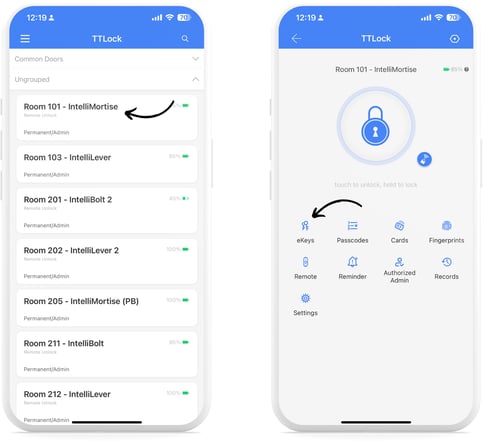
Select a lock from the main menu, then tap “eKeys”, then tap “Send eKey”.
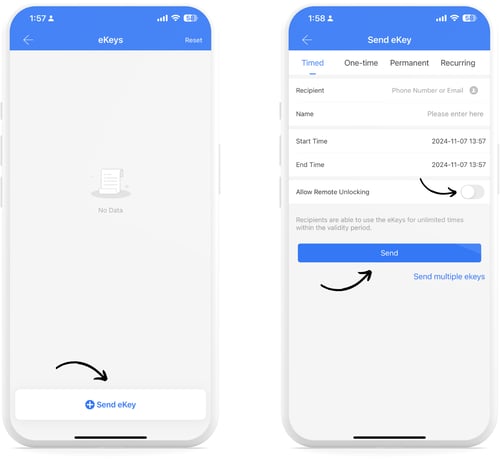
- Choose from Timed, One-Time, Permanent, or Recurring eKey types and enter the required information.
- At this step, you can choose whether to also grant the user a "Remote Unlocking" key.
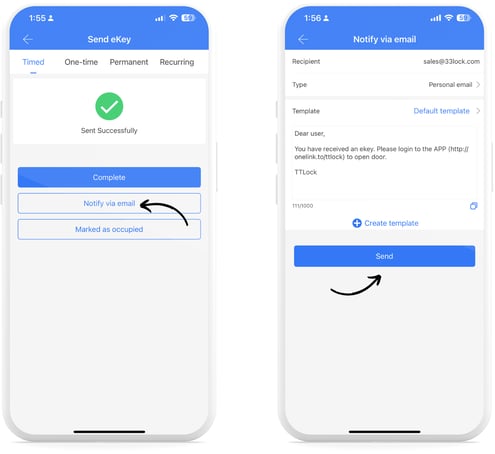
- Once the eKey is generated, it can optionally be shared via email or directly from the app using a pre-set template.
Steps to generate eKeys using web system
💳 This is a paid feature
- Select a lock from the main menu, then tap “eKeys”, then tap “Send eKey”.
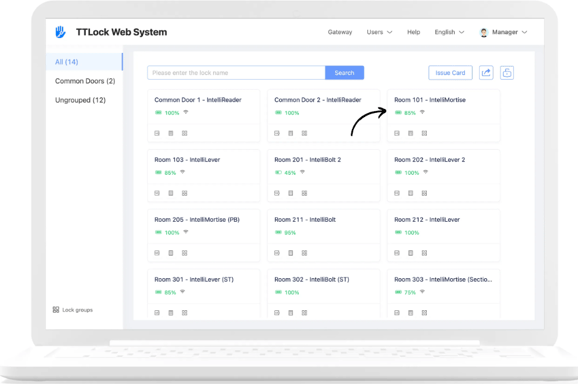
- Choose from Timed, One-Time, Permanent, or Recurring eKey types and enter the required information and tap “OK”.
- Here, you can also select whether to grant the user “Remote Unlock” and/or “Authorized Administrator” permissions to the lock.
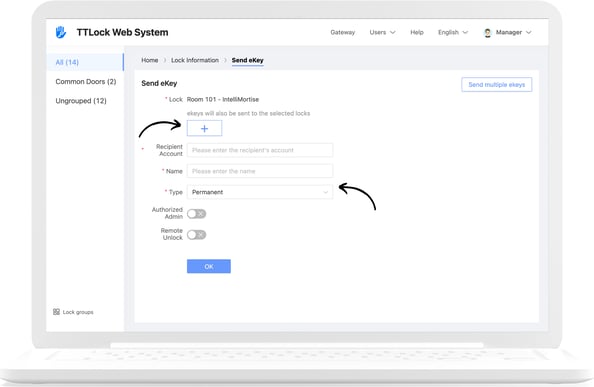
- Tap “Send Email” to send the eKey to the recipient.