%20Logo%20(5)-1.png?width=160&height=80&name=v%20(Dark%20BG%20variant)%20Logo%20(5)-1.png)
Can only be performed by the lock administrator
Steps to transfer a gateway on the TTLock App:
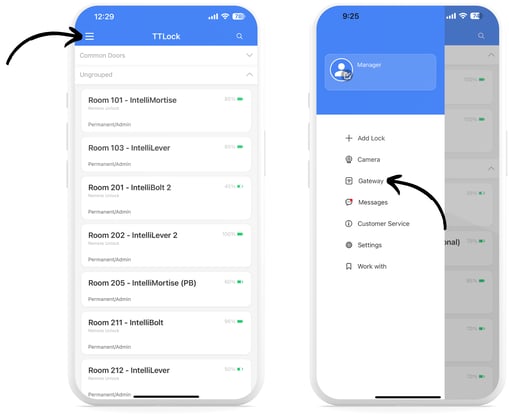
- Log into the app, tap on the menu icon, and then select “Settings”
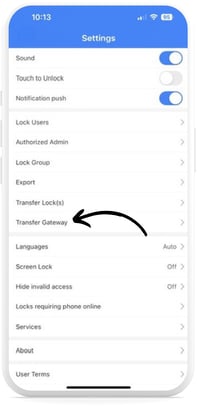
- Select “Transfer Gateway”
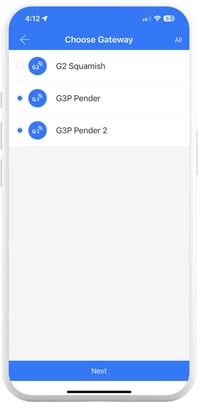
- Select one or more gateways you want to transfer to another TTLock account, then tap “Next”
- Enter a valid phone number or email registered to a TTLock account, then click “Next”. You will then be prompted to confirm the transfer.
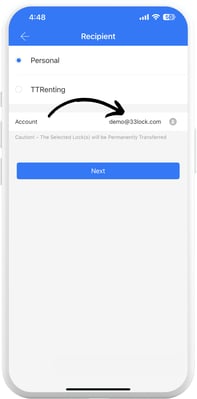
❗Once transferred, you will no longer have access to the gateway.