%20Logo%20(5)-1.png?width=160&height=80&name=v%20(Dark%20BG%20variant)%20Logo%20(5)-1.png)
❗This requires a registered TTLock account
Steps to add fingerprints
❗Must be next to the hardware with Bluetooth enabled on your mobile device
❗Fingerprints must be programmed at each individual lock.
-
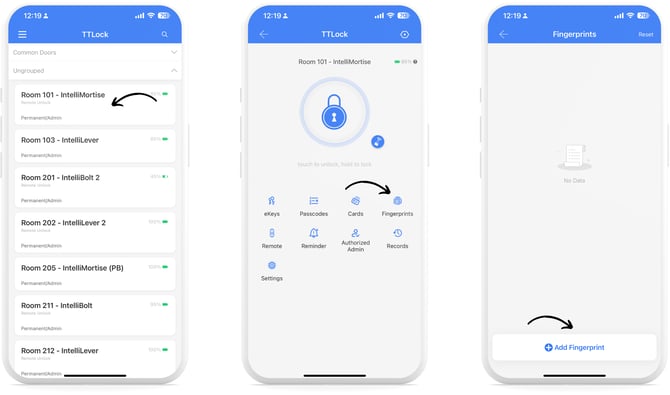
Select a lock from the main menu, then tap “Fingerprints”, then tap “+ Add Fingerprint”.
-
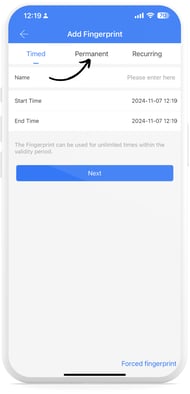
Choose from Timed, Permanent, or Recurring fingerprint types, enter the required information, and tap “Next”.
-
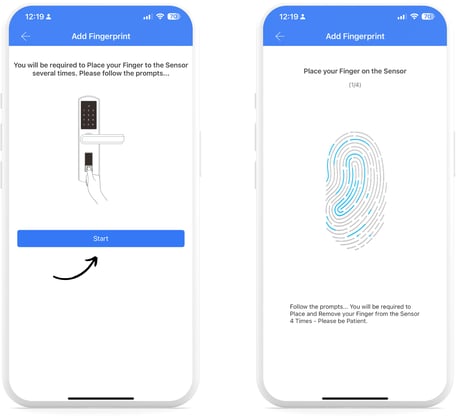
Read the onscreen prompt, and tap “Start”. Place your finger on the fingerprint sensor on your lock, and complete this 4 times as described by the audio commands.
-
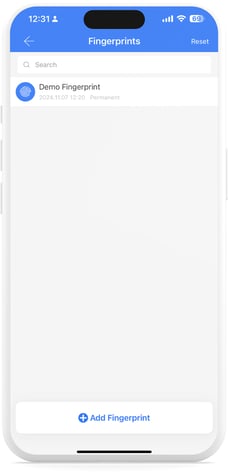
Once complete, you will see your Fingerprint Key listed on the Fingerprints Page.