%20Logo%20(5)-1.png?width=160&height=80&name=v%20(Dark%20BG%20variant)%20Logo%20(5)-1.png)
❗This requires a registered TTLock account
- Download the TTLock application on Android or iOS devices
- Access the TTLock Web System on desktop here
❗Can only be performed by the lock administrator
❗Must be next to the hardware with Bluetooth enabled on your mobile device
Steps to delete a lock on the app
-
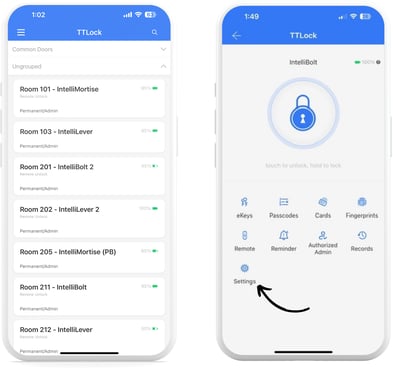
Log into the app, select the lock you want to delete, and then select “Settings”.
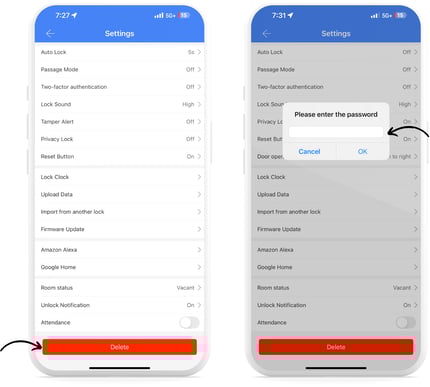
- Scroll to the bottom of the page and tap “Delete”. You must then enter your TTLock password to delete.
Steps to delete a lock with the reset button
- Remove the battery cover on the back side of the lock.
- Use a pen to hold down the reset button until a voice prompts to “enter the initialization code”.
- Let go of the reset button.
- Enter “000#” on the front keypad.
- A voice will then confirm if deleting the lock was successful.